This guide explains how to obtain and configure the credentials required to access MTN MoMo APIs in the Production environment. Once onboarding is complete, follow the steps below to generate your Production credentials, retrieve Subscription Keys, and update your API configuration.
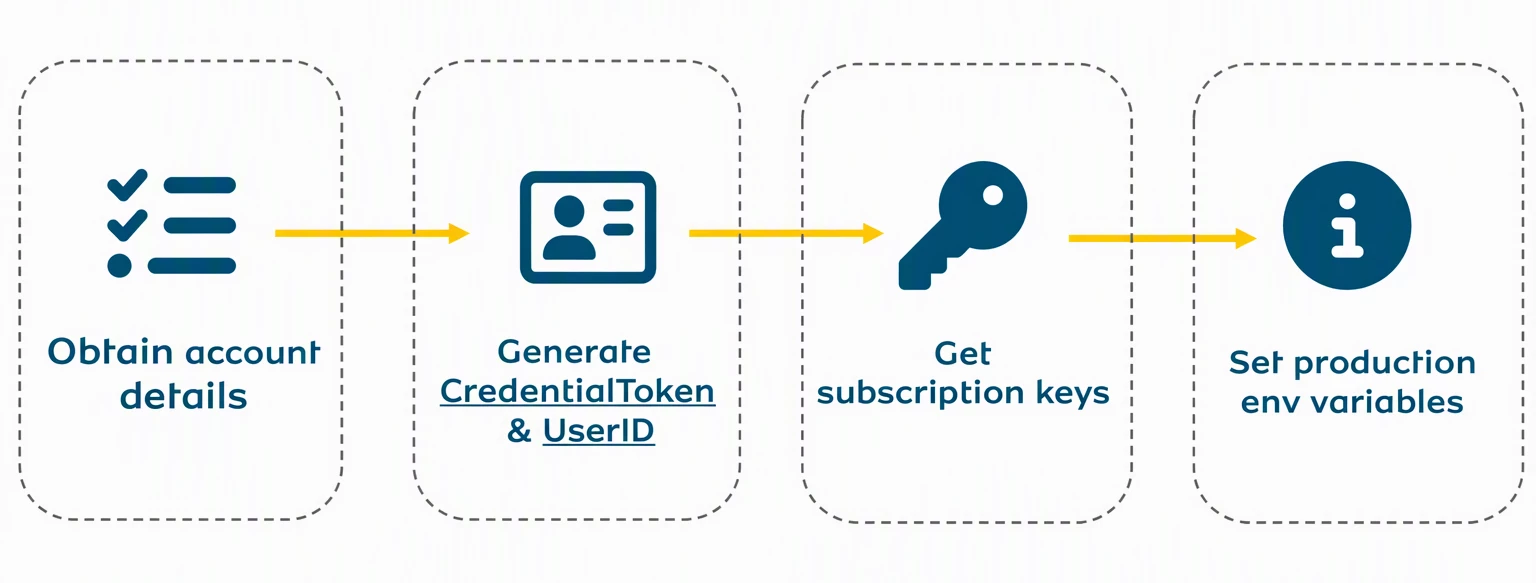
| Portal | Purpose |
|---|---|
| Partner Portal | Generate UserId and CredentialToken |
| Developer Portal | Retrieve Subscription Keys and access API products |
Account Details
In Sandbox, the UserId and Credential Token are self-generated by calling the APIs in the sandbox-user-provisioning. In Production, UserId and CredentialToken are generated from the Partner Portal.
Note: The link to the Partner Portal is country specific and can be obtained from your account manager/relationship manager. An example for such is https://mobilemoneyreadonly.mtn.co.ug for Uganda. The account credentials required to sign in are:
- Username (e.g username.sp1) → this is shared one on one by the account manager.
- MSISDN → a fully registered MTN SIM Card that can receive an OTP.
UserID and CredentialToken
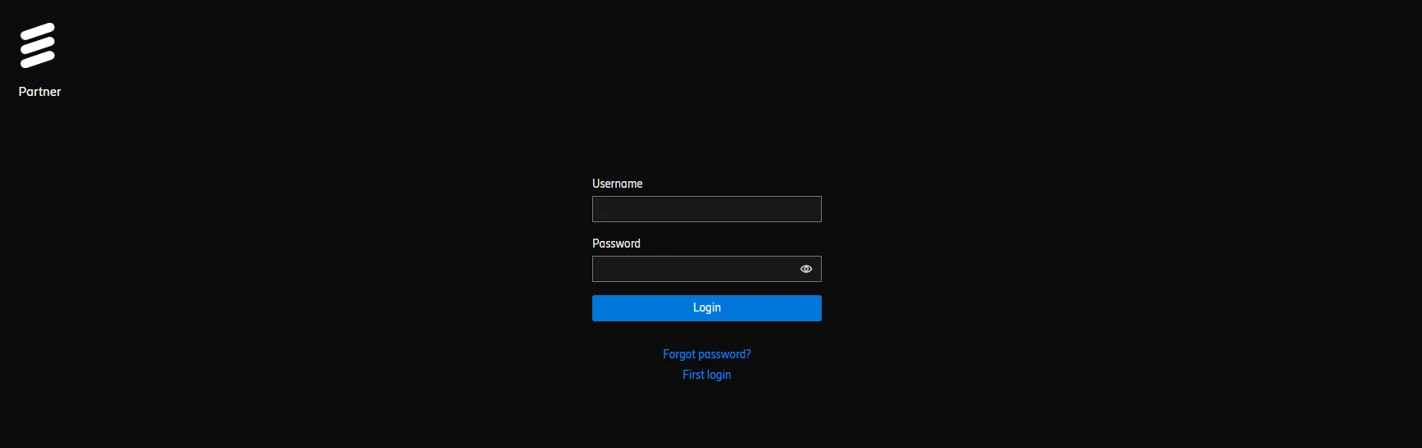
On navigating to the Partner Portal
- Sign in using the option of “Forgot Password” or “First Login”. An OTP is sent to the MSISDN which you can use to sign in and then set/reset your password.
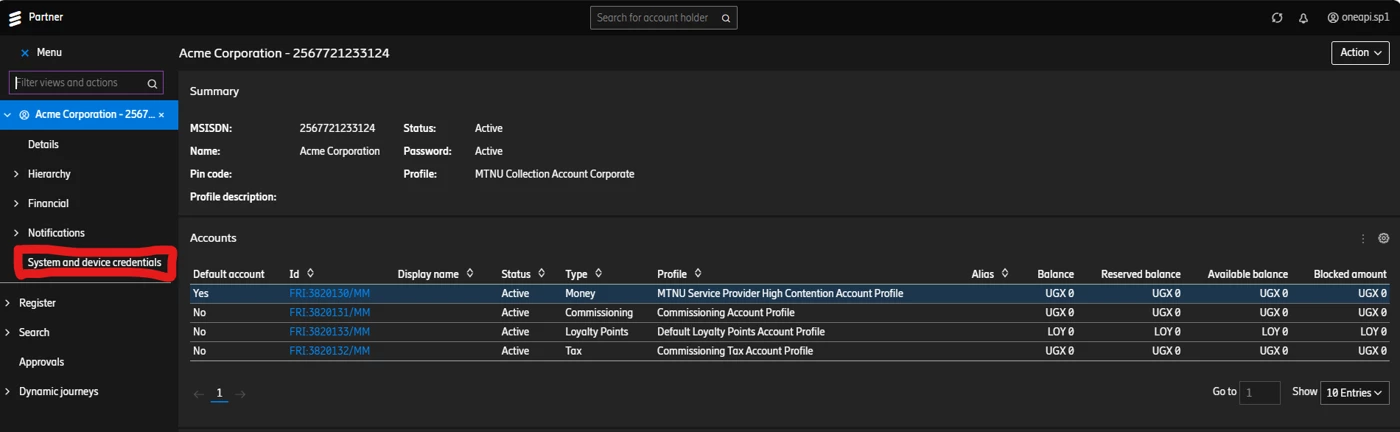
- Once signed into the Partner portal, System and device credentials option will be visible on the left pane as shown below.
- Once you select the "System and device credentials", below screen will be visible and then please select plus icon + (Create device credential) under "System Credentials".
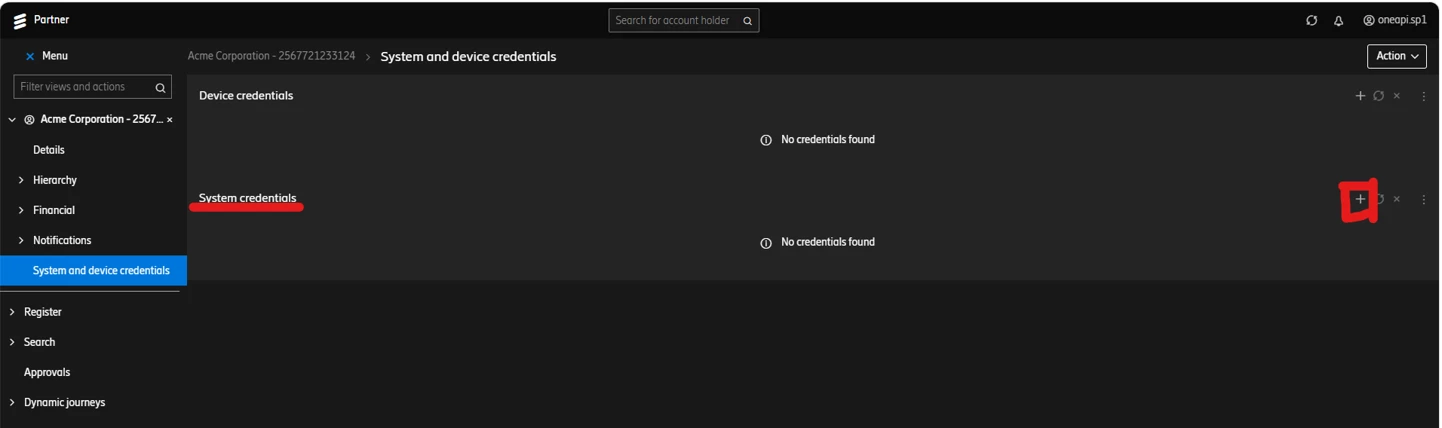
- Once you select + (Create device credential) under the “System Credentials”, you’ll asked to provide a name for your credential.
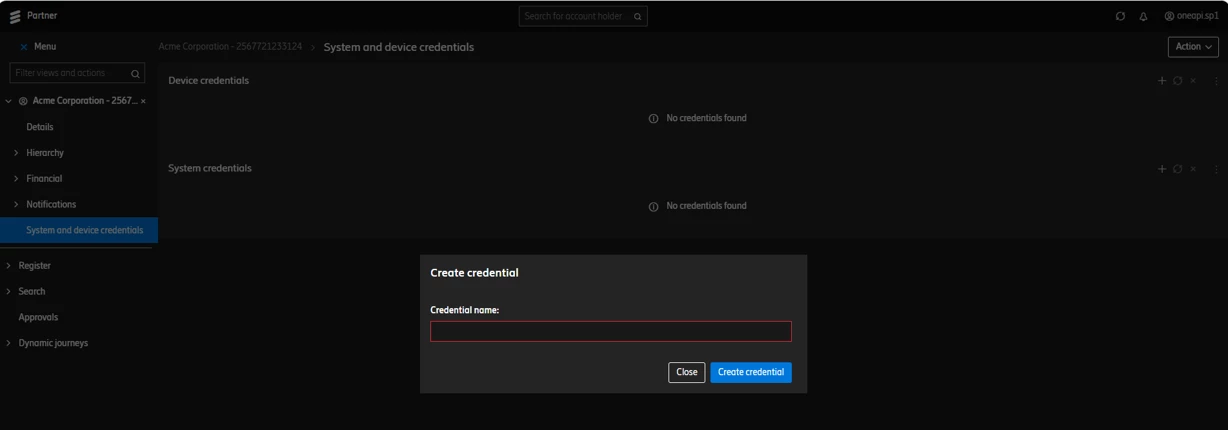
- Once the name is given, please click on "Create credential" as shown below.
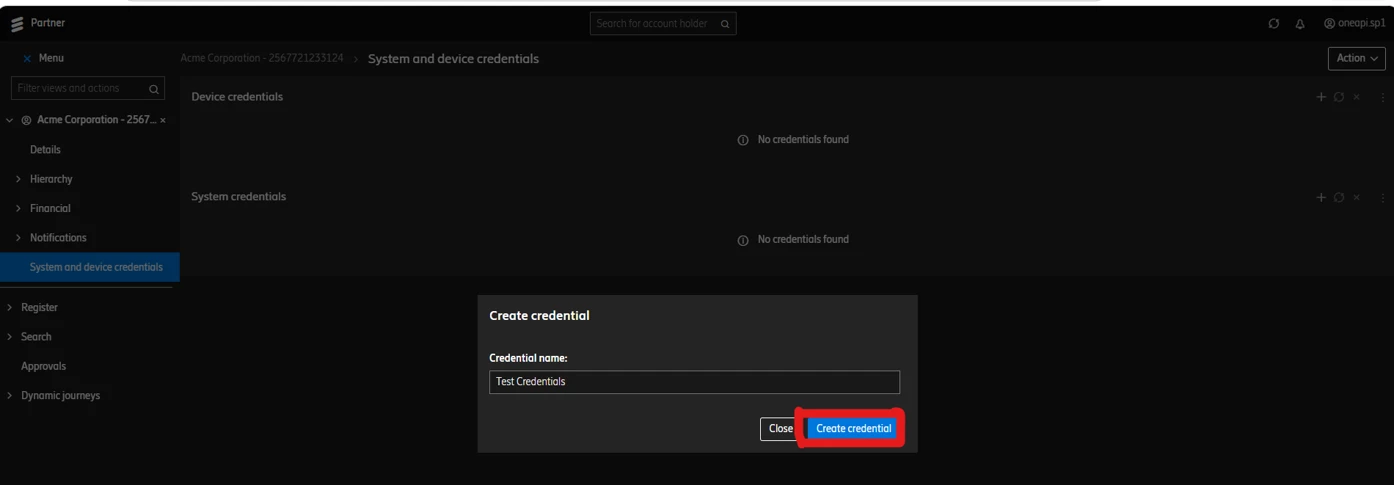
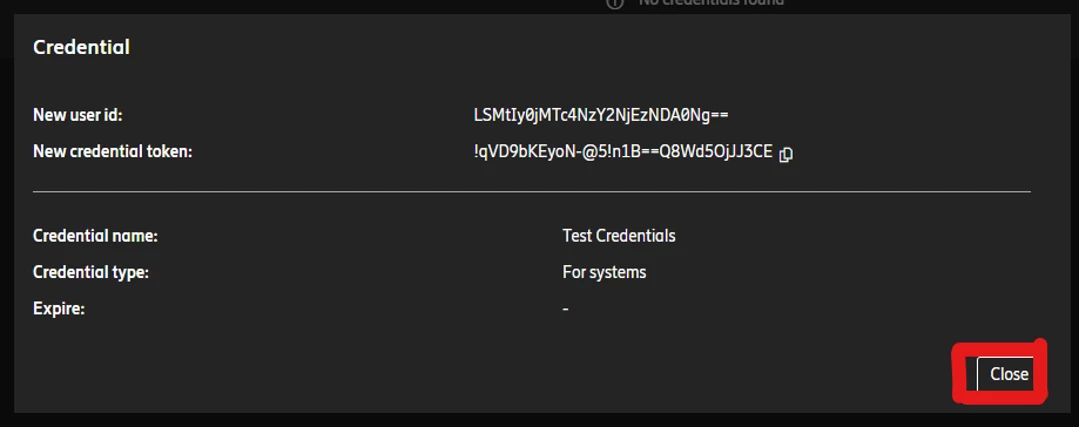
- You will get your New User Id (Identity) and New credential token (Password) as shown below. Make sure you store this information locally with you. Once information is saved, please click on close button.
Production Subscription Keys
Once KYC validation and verification is done, an account is created on the production developer portal using an email address which you as a partner submit to MTN team. The link to the developer is either https://developer-af.momo.africa/ or https://developer-eu.momo.africa/ based on the country in which you are operating.
- On the portal, you need to navigate to signin on the top navigation of the page and click on the forgot password option (https://developer-af.momo.africa/forgot-password or https://developer-eu.momo.africa/forgot-password).
- Enter the email address, sign in and reset the password.
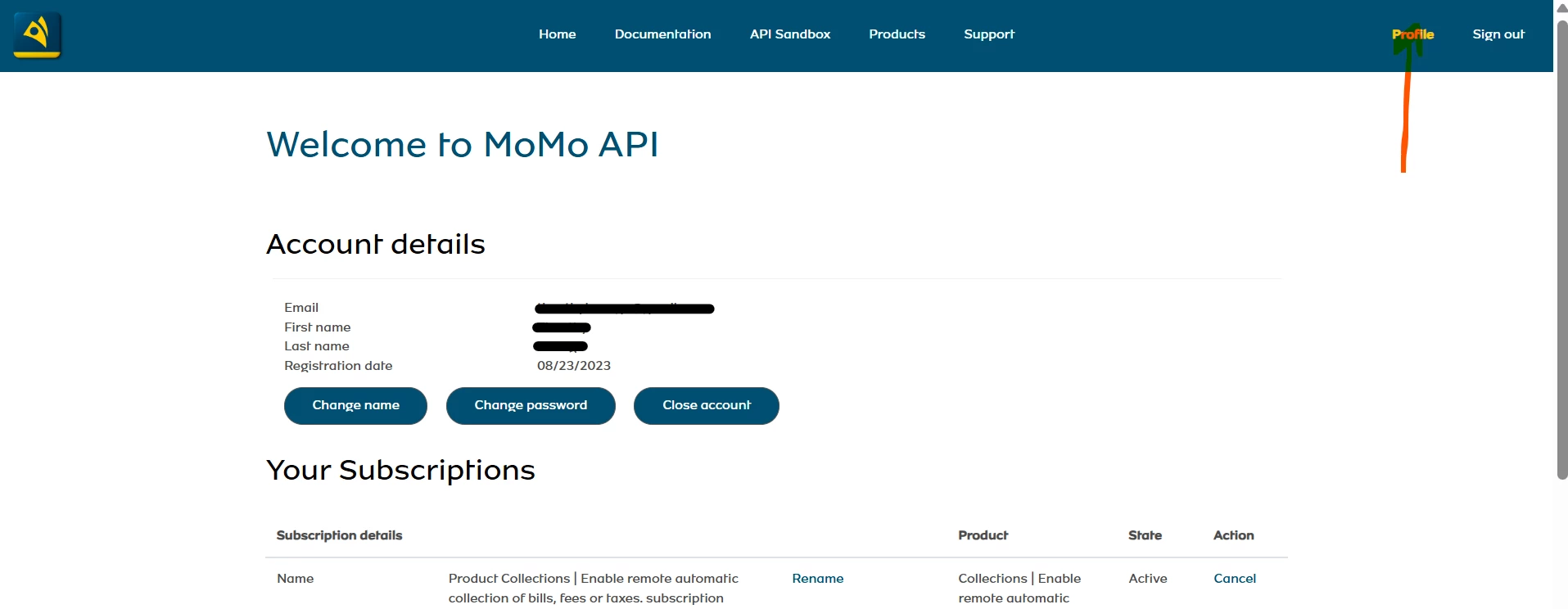
- After that, navigate to Profile section and this is where you will get the subscription keys.
Production Configurations
These are the changes one has to make when crossing from sandbox to production; -
| Config | Sandbox | Production |
|---|---|---|
| Base URL | https://sandbox.momo.africa | |
| X-Target-Environment | sandbox | Refer to countries section below. |
| MSISDN | test numbers & any number | Actual subscriber number according to country e.g. 2567…… for Uganda. |
| Developer portal | https://momodeveloper.momo.africa/ | Refer to countries section below. |
| Currency | EUR | Refer to countries section below. |
Countries
| Country | X-Target-Environment | Currency | Developer Portal |
| MTN Uganda | mtnuganda | UGX | https://developer-af.momo.africa/ |
| MTN Ghana | mtnghana | GHS | https://developer-af.momo.africa/ |
| MTN Ivory Coast | mtnivorycoast | XOF | https://developer-af.momo.africa/ |
| MTN Zambia | mtnzambia | ZMW | https://developer-af.momo.africa/ |
| MTN Cameroon | mtncameroon | XAF | https://developer-eu.momo.africa/ |
| MTN Benin | mtnbenin | XOF | https://developer-eu.momo.africa/ |
| MTN Congo B | mtncongo | XAF | https://developer-eu.momo.africa/ |
| MTN Swaziland | mtnswaziland | SZL | https://developer-af.momo.africa/ |
| MTN GuineaConakry | mtnguineaconakry | GNF | NA |
| MTN SouthAfrica | mtnsouthafrica | ZAR | https://developer-af.momo.africa/ |
| MTN Liberia | mtnliberia | LRD | https://developer-af.momo.africa/ |